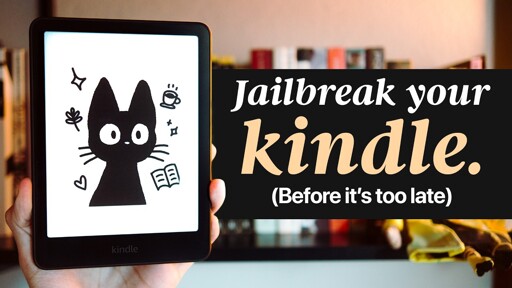
Do it now. avoid youtube nonsense. Go to : https://kindlemodding.org/jailbreaking/ Really beautiful custom tailored approach to your device. I didn’t need to do all of the nonsense in the video. Took 20min and the website held my hand throughout the entire process. No data loss.
Fuck Jassy.Switched to Kobo as part of my general “screw the USA” policy. Threatening Canadian sovereignty will not fly.
I’ve had a Kobo Aura H2O for years and it’s great
Yeah. Bought a kobo. So happy with it.
Is it possible to import Kindle books to this device?
I ask because my Kindle library is fairly extensive and giving it up would be uncomfortable to say the least.
If you can manage to download your ebooks to your PC, you can use Calibre with a DeDRM plugin to release your Amazon
hostagesbooks. But it’s not a very straightforward process.More recent guide: https://github.com/apprenticeharper/DeDRM_tools/discussions/2395
Calibre can handle a directly plugged in Kindle, no need to copy them to your PC first. I deDRMd them, then was able to just plug in my Kobo and copy all my books to the new device.
So glad I saw this post I’ve had an 8th gen kindle jammed under a pile of bullshit for quite a while because fuck bezos. Ended up being able to use winter break and now I can use the device without contributing to fascism. Today was a good day!
what’s so particular about these kindles that a simple android tablet can’t provide?
E-ink
These things are very heavily optimized for the singular purpose of reading books. They can’t do much of anything else, but they do that one thing very well and very efficiently. They run a custom, lightweight Linux OS that’s very aggressive with its battery management. Coupled with an e-ink display, they sip power and can run for weeks on a single charge. That’s not something a simple android can provide.
I lost mine in my house. Looked for it in April, couldn’t find it. In September I found it and the battery was at 56%.
Also you can’t read a tablet in direct sunlight.
Ink displays are more comfortable on the eyes like reading something on paper than a regular display. Prefer them to physical books now.
If you jailbreak, can you revert to an older version of kindle os?
deleted by creator
Amazon eliminated side loading? I’ve been using calibre to convert books to azw and transfer to my Kindle. Always worked fine for me. Unless they pushed out an update to break this?
What Amazon eliminated was your ability to download your books and then load them to your Kindle from your computer instead of using their whisper net.
Thanks for helping me discover Kobo! Looks like a good Kindle alternative.
There’s also Boox, another alternative with Android.
the irony that it can be jailbroken by modifying the ads is funny. Sadly I expect this to be a super easy patch on Amazons part so if you have the device probally should do this fast lol
One more plug for using kobo libre!! I love it much more than my kindle, havent picked taht thing up in years… maybe ill jailbreak it just to set one more free…
I have a kobo libre colour and it is really good.
If you are lazy put your kindle into airplane mode until you find time to jailbreak your kindle. I actually jailbroke it using the previous winterbreak method last week, since I had kept my kindle in airplane mode using calibre.
This is what I did. Haven’t felt the need to take it off of airplane mode yet.
Yeah, I put it into airplane mode when I heard Amazon was going to push an update removing some feature. Then just kept using it as I did before using calibre to send books.
Finally decided to jailbreak it and I am glad I did since the custom lockscreens and koreader has been cool.
I’m honestly surprised how many people I see doing this. No judgement , it’s just now how I use the device.
I couldn’t give up my syncing of progress! I love being able to pick up on the Kindle app on my phone if I’m in a waiting room then back to my kindle proper at home.
I’m jazzed to finally have been able to jailbreak my device so I can use KoReader on both the phone and Kindle and keep the same experience.
Is KOReader android only? I don’t see it in the App Store. The main feature of the Amazon reader apps for me is the position sync so I can read on the go. I’d hate to lose that feature.
Unfortunately I believe it isn’t available on iOS. On Android you can install it from a few sources. Directly from GitHub, or via F-Droid(or something similar). I’m with you though, that feature is key to me not scrolling forever.
After digging a little further, there is an iOS alternative called Readest (https://github.com/readest/readest) available in the App Store. Along with this video to walk you through the sync process https://m.youtube.com/watch?v=WfP-qLMhMso. Overall, it took about an hour for me to get everything set up after I found these resources and I’m super stoked.
Oh awesome! Glad you were able to find a tool that works for you.