The Linux Mint team has just released Linux Mint 22, a new major version of the free Linux distribution. With Windows 10’s end of support coming up quickly next year, at least some users may consider making the switch to Linux.
While there are other options, paying Microsoft for extended support or upgrading to Windows 11, these options are not available for all users or desirable.
Linux Mint 22 is a long-term service release. Means, it is supported until 2029. Unlike Microsoft, which made drastic changes to the system requirements of Windows 11 to lock out millions of devices from upgrading to the new version, Linux Mint will continue to work on older hardware, even after 2029.
Here are the core changes in Linux Mint 22:
- Based on the new Ubuntu 24.04 package base.
- Kernel version is 6.8.
- Software Manager loads faster and has improved multi-threading.
- Unverified Flatpaks are disabled by default.
- Preinstalled Matrix Web App for using chat networks.
- Improved language support removes any language not selected by the user after installation to save disk space.
- Several under-the-hood changes that update libraries or software.
I switched my main gaming computer to Mint after testing it on a laptop. Being away from Windows is awesome. You know how everything always wants your attention on Windows? Your antivirus proudly announces its existence. Windows wants to know if it should remove some printers? Some PDF software needs updated RIGHT NOW. There’s a license change please acknowledge this 20 page document. Animated attention grabbing everywhere. I always think FUCK OFF when presented with this bullshit.
You know what - Mint doesn’t do that. I’ve not been internally shouting at my own computer since I went that way.
It is serene.
How has your gaming journey been so far? Games and general programs are the main reason why in still on Windows
I switched to Linux Mint a couple months ago and use Steam a lot. I’ve tried at least 10 games and all worked perfectly.
But I don’t do competitive multiplayer. Those are more likely to have issues with anti-cheats. Although I did try Hell Let Loose and Helldivers very successfully and those are both major online titles.
Check https://protondb.com if you’re worried about a specific game’s compatibility. I’ve had silver rated games work perfectly though.
Edit: Apps - Photo editing and 3D CAD are the main areas I’ve struggled with on Linux. There’s no good Adobe equivalent, and no good Fusion 360 equivalent. Free CAD exists, but that can gently fuck off.
Apps - Photo editing and 3D CAD are the main areas I’ve struggled with on Linux
Yeah, I feel that. Paint.net is the sole reason I still fire up my Windows VM every now and then.
The closest you can get is Pinta and even then, looking at the surface things may seem very similar, but the workflow is totally different (it doesn’t even have overscroll god damn it!) and the plugin scene is deader than dead. I wanted to code a proper replacement based on Pinta, but I haven’t got the motivation or time for that.
If I wanna edit an image, firing up a VM is still genuinely faster than trying to work with Pinta or GIMP or any other opensource alternative for that matter. Krita has surprisingly been pretty good at replicating the workflow, but it still falls short.
I’m with you. Bricscad was the best cad I found and it genuinely wasn’t a great experience. Very laggy but it has all the professional tools and workflow I’m used to.
Thanks for the link! Will definitely check out my top played games, unfortunately I play a lot of multiplayer games like Dota, Hunt, CS and War Thunder.
Photo editing and 3d modelling is something I do a lot which is a deal-breaker for me personally. Blender works on Linux afaik but stuff like substance painter/designer, Houdini, plasticity etc I don’t know
I don’t know about Hunt, but War Thunder and Dota have official Linux clients.
Steam + Proton works for most games, but there are still rough edges that you need to be prepared to deal with. In my experience, it’s typically older titles and games that use anti-cheat that have the most trouble. Most of the time it just works, I even ran the Battle.net installer as an external Steam game with Proton enabled and was able to play Blizzard titles right away.
The biggest gap IMO is VR. If you have a VR headset that you use on your desktop and it’s important to you, stay on Windows. There is no realistic solution for VR integration in Linux yet. There are ways that you can kinda get something to work with ALVR, but it’s incredibly janky and no dev will support it. There are rumors Steam Link is being ported to Linux, nothing official yet though.
On balance, I’m incredibly happy with Mint since I switched last year. However, I do a decent amount of personal software development, and I’ve used Linux for 2 decades as a professional developer. I wouldn’t say the average Windows gamer would be happy dealing with the rough spots quite yet, but it’s like 95% of the way there these days. Linux has really grown up a lot in the last few years.
Thanks for the detailed reply. VR isn’t a deal-breaker for me currently but your last paragraph is great, most of the videos I’ve watched have echoed that sentiment of “It works great… Most of the time”
I do want to give Linux a try when I have some time over for trouble shooting and fixing. I feel like a Mac person when I say that lol, “I just want it to work”
Not the person you asked to but my gaming experience has been stellar. If you use Steam you don’t have to do anything, it all works out of the box. If you don’t play those multiplayer games with kernel level anti cheats you’ll be fine.
I was expecting a bad time and was extremely impressed. Gaming in Linux is amazing.
This is a great time to switch. I have Bazzite on a 2015 laptop and a Steam Deck with SteamOS, and I’m working on migrating my main gaming rig. 95% of my games run well, and the few that don’t are often tiny indie projects. Most general use apps have Linux equivalents or Linux versions.
My recommendation is to try a few distros in VMs and see if you can set them up how you’d do it for real. Then, try out a few Live ISOs to identify any glaringly obvious hardware compatibility issues you might need to solve (rare, but it happens).
Try the common recommendations like Mint or Pop!_OS, and check out gaming-focused ones like Bazzite and Garuda.
Things with kernel anti-cheat aren’t going to work unless they have a Linux version. So no Helldivers, Valorant, Apex Legends, etc.
Other than that, I have yet to find a game that doesn’t work under Proton. They’ll tell you it’s Windows-only until you go into the game’s steam compatibility settings and set it to Proton Experimental and then it just installs and runs no problem. Even things I didn’t really expect to work, I booted and played Trepang2 under Proton just last night, not a problem in sight.
Along with Helldivers 2, I can confirm Apex Legends works as well. Valorant as far as I’m aware is a definite no-go though.
Just adding on, ProtonDB is a great resource for checking game compatibility!
Thanks to you and jettrscga for letting me know! I think that may not have always been the case, I seem to remember Helldivers pretty specifically didn’t have Linux support when I was last playing it. Or maybe I’m just crazy.
Apex I for sure just assumed wouldn’t work, without trying, because of aforementioned kernel anti-cheat. Good to know I was wrong there even if I don’t like the game that much myself.
Helldivers 2 works on Linux by the way. It was the first game I installed on Linux and I have almost 100 hrs on it. I haven’t tried the others you mentioned though.
I have a dual boot, mint and Bazzite. Bazzite is great for gaming
If in the future you don’t want to dual boot you should check out CachyOS. I use that as my daily driver right now and it’s great for gaming.
I’ve found I prefer Fedora over debian builds for gaming, and Bazzite also includes literally everything needed for gaming of any kind already installed. Also it being immutable is really good in particular in case a game causes system issues. Bazzite also has great Steam Deck integration and desktop interoperability if needed, and can install emulators from the get go, along with many wine configurations for older Windows games.
It’s also nice to have my work space divided completely from my gaming one, and a debian build is great for productivity programs like audio mixing, 3d printing, and art, since there’s more stability and support vs bleeding edge like fedora.
Hence my dual boot set up (with separate ssd’s).
Now I just have to get around to writing a script to clean up the grub menu, street going through making it look pretty.
I like the way Linux handles updating software better.
On Windows, every app is installed separately so each app is internally responsible for its own updates. So you sit down to do some work, open up your productivity software and “Autodobe After360 requires an update to continue. [Yes] [Yes]” This isn’t impossible on Linux but it happens much less often.
As you say it doesn’t throw itself under your wheels as often as Windows does.
You can do a lot with
chocolateyorwinget, but they can’t update system software. Linux package management is just better.
That serenity is why I enjoy running Arch with basically nothing on it. My OS doesn’t do shit and I love it
Linux Mint was my gateway drug to linux. It’s simple and powerful! Now I’m a happy KDE user, but you never forget the first love
Plasma is quite nice now.
It really is. I don’t get the love for the tabletish gnome interface everyone is using.
I get why some people like it, for sure. I’m just surprised so many “power users” seem to.
It has a unique workflow which clicks for people like me, even if they’re on a desktop. It encourages workspaces by making creating and switching between them instant and seamless, and i like seeing all of my windows at once by just pressing the super key.
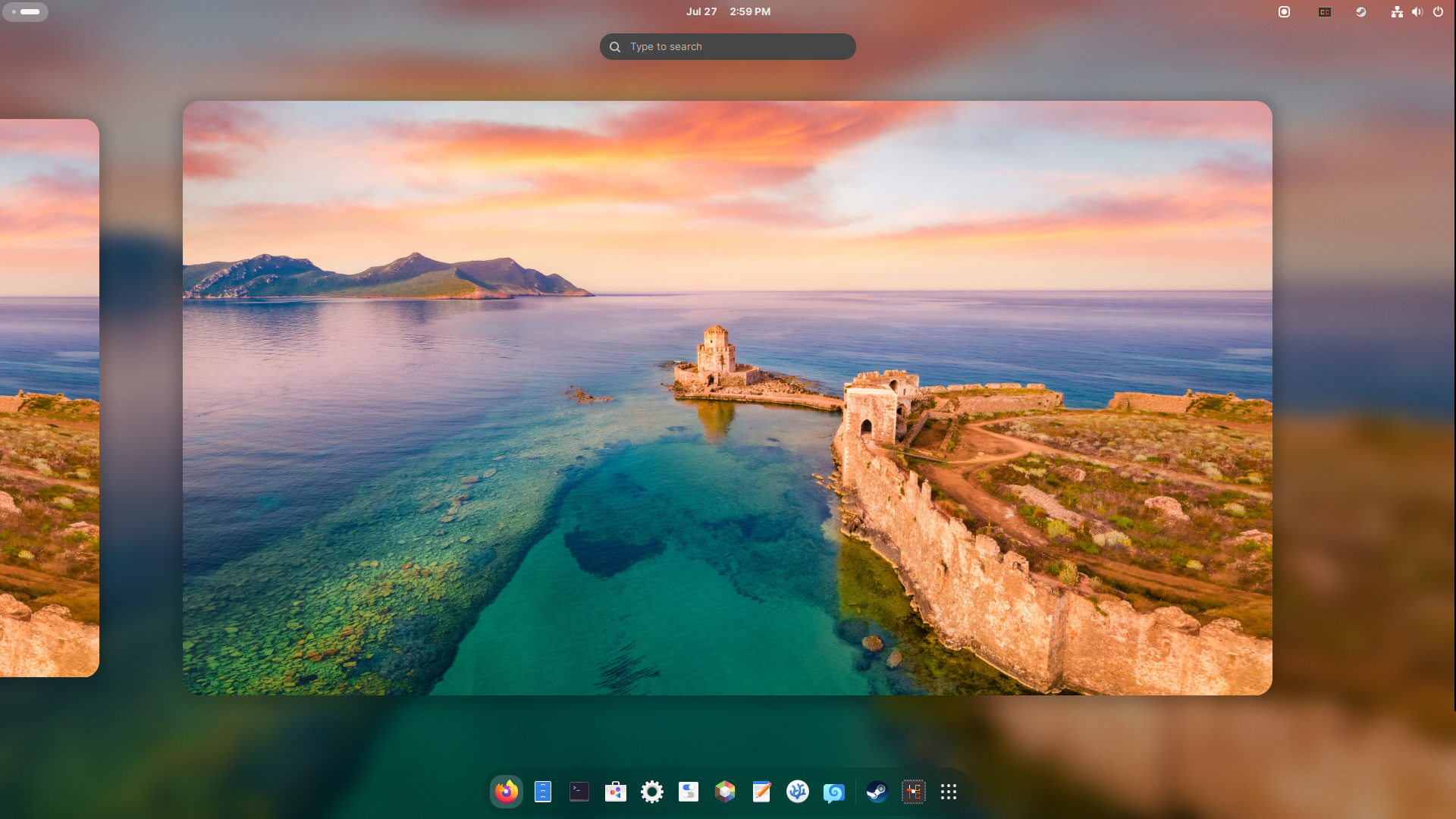
Oh I love your wallpaper, do you have a link to somewhere I can download it?
With Overview you can get something very similar in Plasma, though you’d need to change the default shortcut to open it by just pressing the super key.
However it’s not as quick, and it’s not considered the main method of navigating your windows. AFAIK you can’t switch workspaces by scrolling there or have your apps list visible.
It got updated in plasma 6 and now its the same as the gnome version except theres no dock
Gnome is just perfect for laptops and convertibles. I can quickly navigate it using the touchpad and super key. It also has better touch screen support, and with one extension (hide top bar), literally all of the screen real estate is available for your work. Hit the super key or 3-finger-swipe up and the UI appears. Do it again to show all your applications and desktops. Or just start typing to search. 3-finger-swipe sideways to switch to another virtual desktop. All my programs are full-screen and on their own desktop. The animations are so smooth, it’s a joy to use.
And the Gnome apps are just simple and reduced to what you actually need.On a desktop PC I prefer Plasma for its customizability and smaller UI elements. It’s better for navigating with a mouse (although you can also turn it into a Gnome-clone or a tiling WM just with built-in options). And the KDE apps feel more “professional”, with lots of additional functionality, options and settings.
What distro are you running with plasma? I’ve had issues with instability on KDE neon, so I’m planning to switch to a different distro. Plasma is still nice, so I’m looking for inspiration for what to mix and match.
OpenSUSE Tumbleweed.
Nice. I’ll look into OpenSUSE!
KDE has continually felt less solid to me when I’ve used it, and the reviews I’ve seen of it seem to note that is still the case.
Less solid how? I use it everyday and don’t really notice any problems
Just as in general bugginess and less smooth compatibility with random apps and theming. The whole DE system dying and auto restarting itself, stuff like that. General “feeling” of solidness. I’m glad you don’t have those issues.
Yeah, it’s fantastic. I don’t know how I spent so much time in gnome before finding KDE, I can’t imagine going back. I guess there could be something better out there, I’d love to know about it if there is.
I use Plasma on Mint. Love my setup
I’m really inexperienced with Linux but I’ve become interested since getting a steamdeck which uses KDE for its desktop, which I’ve enjoyed—so how do KDE and mint compare?
I ran a dual-boot for a month and a half when news about Windows Recall broke, but unfortunately, my Nvidia setup experienced a lot of bugs and proved to just be too incompatible.
So, when I upgrade to a new computer later this year, I’m going to make this machine a Linux-only machine with a different distro, and then have my other PC for all my gaming needs.
I made the switch to mint a few months ago. Its astounding to me just how slowly windows boots and I never noticed until I made the switch.
You got me, Lemmy. I caught the Linux from you and I can’t go back.
Mint boots SHOCKINGLY fast, like sub 2 seconds, on a couple of systems I have. Its basically as fast as “booting” one of my old Commodore computers!
<2 seconds from powered off to being able to start to open e.g. a web browser?
If so that is indeed truly shocking. Curious what your stopwatch says from powered off to a homepage loaded ready to use.
<2 seconds from powered off to being able to start to open e.g. a web browser?
So that’s time on a reboot as measured from when the UEFI splash goes away to being presented with the logon screen. That feels roughly the same as Commodore’s “Ready” prompt, at least to me. Although the case can be made that the desktop should be up and loaded too. I’d have to enable “auto logon” to get that one.
Curious what your stopwatch says from powered off to a homepage loaded ready to use.
As I said to @Liz@midwest.social I’m starting to wonder just how fast I can make it with a bit of work. The hardware is nothing special but after the UEFI screen goes away GRUB comes and goes so fast it’s unreadable and then…you’re just looking at the logon screen.
Right now that PC is tied up running TestDisk and it’ll likely take another 2-3 days to finish. Once it’s done and I can reboot I’ll do some measuring and tweaking.
Heck yeah LMK!!
Did not see “faster than Commodore 64!” coming!
Did not see “faster than Commodore 64!” coming!
As an American I am required by our Constitution to use bizarre units of measure. 😊
Last I checked, one desktop computer with Mint installed = seventeen TRS-80s.
That’s equal to 68 TI-84s!
Booting from a full power off state?
I use mint btw 🌿
Switched to Linux Mint about three years ago after being unable to take my perfectly good laptop from W10 to W11. Dual boot firstly, quickly becoming entirely Mint. It just worked. It was the first Linux distro I’d tried in about 20 years that I didn’t mess up in a week or so.
Recently bought a new laptop and decided to distro hop. Tried various flavours of Fedora, and a few others, but ultimately came back to Mint. None of the others worked quite as well as Mint does for me (though I really liked KDE Plasma, and Gnome surprised me once I finally discovered extensions!)
You can put Plasma on Mint, I’m running that right now myself
When I rebuilt my PC I was planning something similar, got two nvme drives to dual boot, but started with Linux Mint… And never wound up installing Windows on the other, never felt the need, so I finally last night formatted it for more room for all my games
I did try running Plasma on Mint, but it was never quite as good as on Fedora or as smooth on Mint as Cinnamon.
Honestly, I think I just like the simple uniformity of Cinnamon. It’s dull and predicable, but really, really solid.
I really liked Cinnamon but switched mainly because I kept having occasional video problems that didn’t seem to affect KDE… But, that might have been the lack of a proper video driver, I’ve not tried switching back since fixing that
At this point, I’ve found enough with KDE that I like having in my workflow that I’ve been reluctant to try switching back
I tried Linux Mint on my old XPS laptop and the battery life is, unfortunately, a nonstarter for me. It lasts about 2 hours running Linux versus up to six on Windows (thanks to battery settings). It also doesn’t hibernate properly. I wish it had worked for me
It may be worth doing more distro hoping. It sometimes takes a few to get it right for your needs/use case.
What’s the known good battery management distro? If there isn’t one, that seems like something that should be an area of focus.
I heard even though Pop os is ubuntu based, they use different power management. I’m mainly a desktop user so I can’t quantitativly comment on battery life.
Zorin is another sexy option.
I know for me, at least with gnome, toggling between performance, balanced, and battery saver modes dramatically changes my battery life on Ubuntu, so I have to toggle it manually to not drain my battery life if it’s mostly sitting there. I don’t know if Mint is the same, but just throwing out the “obvious” for anyone else running Linux on a laptop.
For some reason, Mint doesn’t provide access to the power profiles out of the box… no idea why. I just install a Cinnamon applet called “Power Profiles” and it gives me the same systray switcher as Fedora.
Fresh install of Mint was giving me about 2 hours battery life. By switching to Power Saver profile, I can get up to about 6-8 hours. I mostly only need to go to Balanced or Performance when gaming.
That’s most likely a driver issue. I don’t know if this is something that’s easily fixed. Linux is better on open hardware.
I’d try fedora or pop os. I never really liked mint personally
Linux Mint is just great :)
Agreed. I managed to get my grandpa onto Linux using Mint on his old computer. He said the interface resembled classic Windows and was up and running in less than five minutes. I just had to show him how to use the software manager and that’s it.
It’s also got so many features that just make sense, like extending to separate monitors being automated, or when you download multiple files they’re automatically zipped to conserve space.
I did love Mint.
I got my aunt’s laptop on Mint. Was unusable with Win 10, like click the start button, wait 4 minutes and then the start menu opens. Took right to it, especially since she’s been using an Android tablet for just about everything so she knew what an app store was. “Linux calls it a software manager” was all the training required.
Mint is mint! I’m using Debian Edition of Mint; according to the Mint forums the package backports for LMDE6 will be worked on after everything with LM22 is complete, and LMDE7 is for when a new Debian comes out.
Did I blink and miss something… Mint actually looks pretty modern compared to how I remember the release notes, kernel 6.8… I’ve never bothered with it as it just seemed like a distro to run on old hardware if you don’t mind your core being 2 years out of date, where Debian v.xx with kde just made more sense
Interesting…
It’s solid. I game all the time on it. I don’t do much else on my home PC. Watch videos and movies. It’s solid enough that I have abandoned Windows completely. I still deal with it with my work laptop, but I don’t give a shit. It’s not my money there.
Mint is so user friendly
I tried Linux Mint for like a day or two when I left Windows, but then I tried Kubuntu and after that I didn’t have a need to try anything else
It’s all about finding the distro that works for you. Don’t let anyone tell you otherwise.
Thank you. That was what really pissed me off when I finally switched to Linux. Suddenly it went from OS wars to sub-OS wars.
Like the first day I installed Mint I asked a question and some guy told me that Mint sucked and I should use some other distro. You’ve all been trying to get people to switch to Linux for years and now you give them shit when they are using a distro you don’t like? The fuck?
The Linux community really lives up to the meme sometimes.
Still waiting for someone to say “I use Arch btw”
I DON’T use Arch, btw. But I might accept the challenge of trying to install it one day, seems like a fun way to learn how Linux actually works.
Those people are stupid. The entire point of having so many limits distros is so that every use case is covered. I’ve used Ubuntu, Mint, Fedora, Arch, Void, even dabbled in Gentoo, and I can tell you that there’s a valid reason to use pretty much all of them, and also valid reasons not to use any particular one of them. “You do you” should be the dogma of the Linux community, not “You do me.”
that’s generally how it works with Mint. you install it, use it for a week or two and then move onto a distro that better suites your needs. Mint is a fantastic introduction and sure many will stick with it for awhile I think most move on from it fairly quickly.
“most move on”?
Source? because I believe it’s quite the opposite.
I have not moved on. I think most Linux distros would suit most people’s needs and I think a lot of Linux users greatly overestimate what the average person does with a computer, which mostly involves staying within a web browser. That’s why Chromebooks are still a thing. A cheap web browser is all a lot of people need. So if you get them to switch to Mint (or any distro), they don’t really have much of a reason to switch.
I’m not a big gamer, I’m not a coder, I’m just someone who wants a working web browser, an office suite and a way to play audio and video. Anything else is a bonus but not something I really need in a notebook. So Mint is fine for me.
sorry I’m new to Linux but most of the people I’ve spoken to on various linux discords the consensus seemed to be that Mint was fantastic to start out on but most moved on to something else after awhile.
Tbf, most distros work on older hardware.
Eh, depends how much older. My daily is a Thinkpad x201, and while I love Linux Mint, every once in a while I get curious about other distros. However, as many times as I’ve tried, there’s a bunch of distros whose LiveUSBs just won’t boot (for example Pop! OS).
My old Microsoft Surface is running much better now that it’s running Linux Mint.
I’m curious about these, do the surfaces still require the use of (or benefit from) custom kernels?
AFAIK they still benefit from custom kernels, but don’t require them. I believe support continues to make it into master, so it likely won’t be the case forever.
excellent, glad to hear
Just switched after seeing how much of my Steam library I could play on my Deck. Just have to switch back for BF5 sometimes and I don’t miss Windows at all. Very nice experience.
How much does it play and what about a GPU in terms of compatibility?
If it runs on proton it runs on mint
The only issues I’ve had are the companies who refuse to enable the Linux versions of their Anti-Cheat, everything else has run and run better than Windows
I use a 2080ti and even with that negative it only took about 15 minutes of fiddling to get my GPU working just fine in everything
I revived a 15 year old laptop by installing Linux Mint on it (and replacing the hard drive for an old SSD I had kicking around). It does everything a modern laptop would do except play new games now.