- cross-posted to:
- worldnews@lemmy.ml
- cross-posted to:
- worldnews@lemmy.ml
cross-posted from: https://lemmy.world/post/50166453
Most “Smart” TVs use Automatic Content Recognition (ACR), essentially taking snapshots every 10+ms of what you watch and hear, then forwarding & selling that data to companies for ads, etc. I now feel it’s only a matter of time before this “feature” finds its way to our ever “smarter” PC monitors.
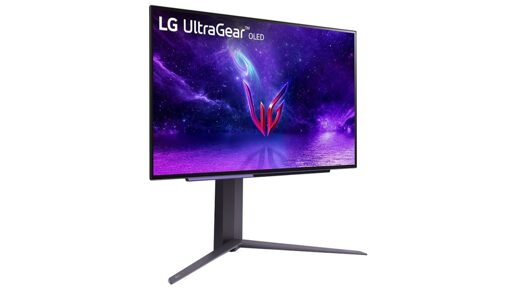
LG with the help of Windows is already installing adware when the right Device ID is detected.
☑️ To disable ACR on TV: https://www.zdnet.com/home-and-office/home-entertainment/how-to-disable-acr-tv/
You must log in or register to comment.
Obligatory: you can improve your Windows experience by installing Linux.
Non snarky comment: you can disable driver craplets from auto-installing using group policy or the registry.
run gpedit.msc
Computer Configuration
> Administrative Templates
  > System
    > Device Installation

Prevent automatic download of applications associated with device metadata
= Enabled
That will set the following registry key:
Windows Registry Editor Version 5.00 [HKEY_LOCAL_MACHINE\SOFTWARE\Policies\Microsoft\Windows\Device Metadata] "PreventDeviceMetadataFromNetwork"=dword:00000001Holy crap I forgot the Windows Registry exists. Nightmare fuel
This is interesting, but the following is not intuitive in relation to displaying ads on a display device:
Prevent automatic download of applications associated with device metadata
It confuses me what people say Linux is hard.
Most people will be on Win Home which usually locks you out of gpedit. Or ignores your settings there, some even from the registry. In the recent times there are even some GPOs locked for Pro and only available on an enterprise version or Windows server…
10/10
We’ve connected with the team at LG and as an immediate next step, they have agreed to disable the McAfee pop-up from their app. We appreciate LG working with us toward a shared goal of a better experience for our mutual customers. We will keep improving here with our ecosystem partners.
Oh, so does that mean you’re also going to improve your own garbage, ad-laden start menu, Microsoft?
I like how it wasn’t okay because it’s “Microsoft’s turf.” You know what’s coming next? An ad ecosystem that’s built into the monitor, independent of the operating system.
They won’t stop. “Better product” went out the window long ago in favor of juicing the customer for every penny. Don’t give them your money and list it as a primary factor in any questionnaire you may run across.
Microsoft Recall is only Software Level, the users demand Hardware level surveillance!
Nono, they didn’t want LG competing against their own
spyware bloat“promoted partner marketing.” Only Microsoft is allowed to give you ads!And, yknow, the preinstalled bullshit that comes with HP, Dell, Lenovo…
the packaged user data is the “better product”
Life’s Garbage, eh?
Building it into the monitor wouldn’t even be hard. Especially if it’s a lightning bolt connection, which can also act as a USB connection. So it coult filch a network connection, run ads overlayed on the monitor. Monitor is touchscreen and you have to physically press the tiny “dismiss” button next to the huge “install” button. Mistakenly pressing install sends a keyboard command to the PC that opens a terminal and runs a winget install command.
The fact that I could think of this means that it’s probably already in the works.
You know what prevents LG monitors from installing a McAfee popup ad on your machine?
Linux.
😀 👍 for now, they probably looking for a way as we speak!
That would be classified as malware, as it is installing something on my system without my desire, consent, or approval.
wonder if they could bypass it by laying the ads directly (hardware level) over any screen input haha
This already happens with TVs and streaming sticks.
They can, they would just need an excuse to make people connect the monitor to the internet to get new ads to be worth the trouble of implementing it.
HDMI and USB C are used in monitors. Both can transmit more than just the image data, e.g. tunneling an Ethernet connection. Not sure if Display Port also supports that
That would be a way to sneak it in. Some monitors already have embedded USB-C hubs and have an Ethernet port to forward Ethernet to the connected computer.
Oof. I’m actually using the USB Hub on my LG Monitor like that (with my Laptop connected to the USB-C) and recently thought “it would have been practical if it had an Ethernet port” now I’m quite happy it doesn’t. Thinking they could just be running a simple embedded Linux to show ads and forwarding the Ethernet connecting that would be sneaky … (Tough I would wonder about an additional Device on my Network)
HDMI supports ethernet, but very few devices actually implement it. Even if the monitor and GPU support it, there would be no internet connection unless the PC bridges it to your LAN.
DisplayPort does not carry ethernet.
I know more than one place that uses monitors for safety messages. If they overlay that there will be bug court cases. Likely criminal
Microsoft approving of the practice
Says enough.
You can disable ACR on your TV by disconnecting it from the internet.
Wait until you here about the hidden mesh networks they create with other iot shit
It would be awesome if a website cropped up like “ifixit” but was “ibreakit” or something. And it had instructions to surgically physically disable stuff like this on all sorts of models. Like “make a marker on a dremel bit that is 1/2 an inch deep, measure 3 inches from this corner and 4 inches from that corner, make a dot. Drill your dremel into that dot to the 1/2inch marker on your dremel bit to break the traces to the wifi antenna”
Or something like that. It would clearly have to have very bright “if you break your shit we are not responsible” warnings.