

I’m using Nixos 24.05 on my asus zenbook 14 and the scroll speed of the touchpad is rather high.
Is there any way to adjust it from the config? I don’t see an option in gnome/wayland
You must log in or # to comment.
To my knowledge, that is controlled by your window manager/DE.
Seems like it. But gnome does not seem to expose this in their settings. I think it should be configurable via libinput, but didn’t find the right config yet.
At the moment, I’m using some changes in firefox to make it mostly usable there. Other applications are still usable, but in firefox the scrolling was too fast.
Here are my changes in
about:config: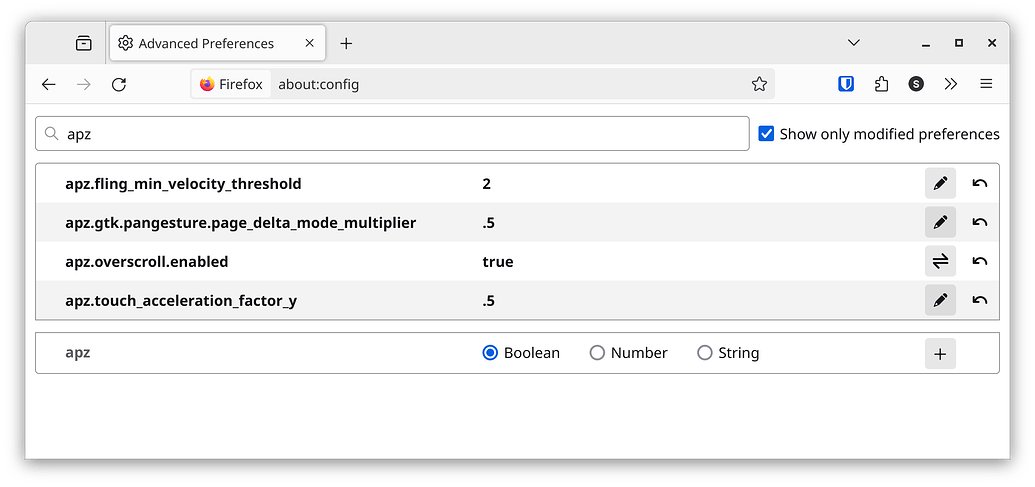
deleted by creator