Yes, but on Linux, if I am root, I am God. I do whatever the fuck I want with my machine, for good, evil or stupidity. That’s the poster’s point. It seems like Windows doesn’t allow you to do this, or at least not easily. So I guess people who want to have absolute control over their computer shouldn’t be using Windows, I guess.
It’s quite common to login as admin on windows though (in home setups), you’ll still have to authenticate for administrative tasks (the UAC popups).
The issue here is mostly that the user has probably upgraded and windows changed their account, resulting in the files being owned by their old account.
In linux, that’s fixable with ‘sudo chmod -R’
In Windows, there’s no built-in way, you need the take ownership script.

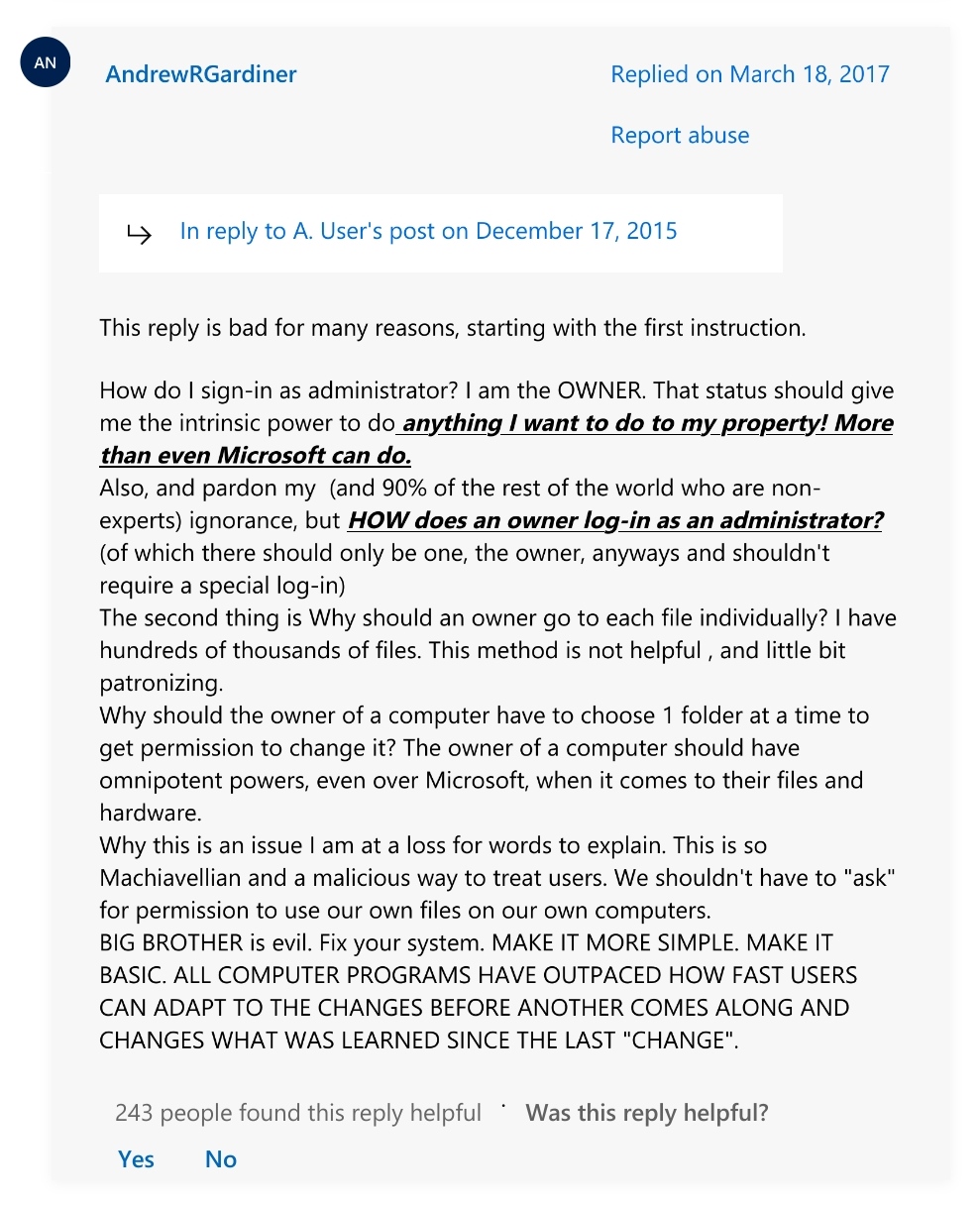
My man just reinvented free software.
Eh? On Linux you also aren’t supposed to log in as root, and you also have to individually set file permissions.
This issue is unrelated to windows, it’s a safety feature that all modern desktop OSes have
Yes, but on Linux, if I am root, I am God. I do whatever the fuck I want with my machine, for good, evil or stupidity. That’s the poster’s point. It seems like Windows doesn’t allow you to do this, or at least not easily. So I guess people who want to have absolute control over their computer shouldn’t be using Windows, I guess.
It’s quite common to login as admin on windows though (in home setups), you’ll still have to authenticate for administrative tasks (the UAC popups).
The issue here is mostly that the user has probably upgraded and windows changed their account, resulting in the files being owned by their old account.
In linux, that’s fixable with ‘sudo chmod -R’
In Windows, there’s no built-in way, you need the take ownership script.
i mean, chown is just a binary. takeown is probably pretty similar, right?
Pretty much, yeah
I assume the equivalent would just be ‘takeown /r <folder>’
As far as I can tell it always uses the currently logged in user as target though
I am the installer and only user of my pc, but Windows neeeds other users. Note: Phil is USERS not ADMIN! Not even Authenticated Users.